Affiliate kit
Everything you need to cover Riffkit.
Five minutes, not two hours.
Rate card, ready-to-paste copy, screenshots, and a demo video — all on one page, free to use in your reviews, roundups, and newsletters. Not an affiliate yet? Join in two minutes — no approval queue.
Rate card
The terms, at a glance.
Commission
25% recurring, every payment for the referral’s first 12 months
Plans
$39 / $99 / $279 / $799 per month — one referral is worth $9.75–200/mo to you
Cookie window
60 days, last-touch. Coupon-code attribution available on request
Payouts
Monthly on the 15th via Wise, once your cleared balance reaches $50. 60-day clearing (chargeback/dispute protection)
Platform
Rewardful, synced directly with our Stripe billing
Approval
None. Sign up, get your link, dashboard is live immediately
Full details on the program page; the affiliate terms govern everything, including the no-self-referral rule.
Ready-to-paste copy
An honest review section, pre-written.
Use it as-is, edit it, or contradict it — it’s accurate either way. Swap in your affiliate link where marked.
Riffkit — best for starting from a proven winner.
Most AI video tools generate from a script, which means you’re still
guessing what will hold attention. Riffkit works backwards: paste a
link to a TikTok that already earned millions of views, and it
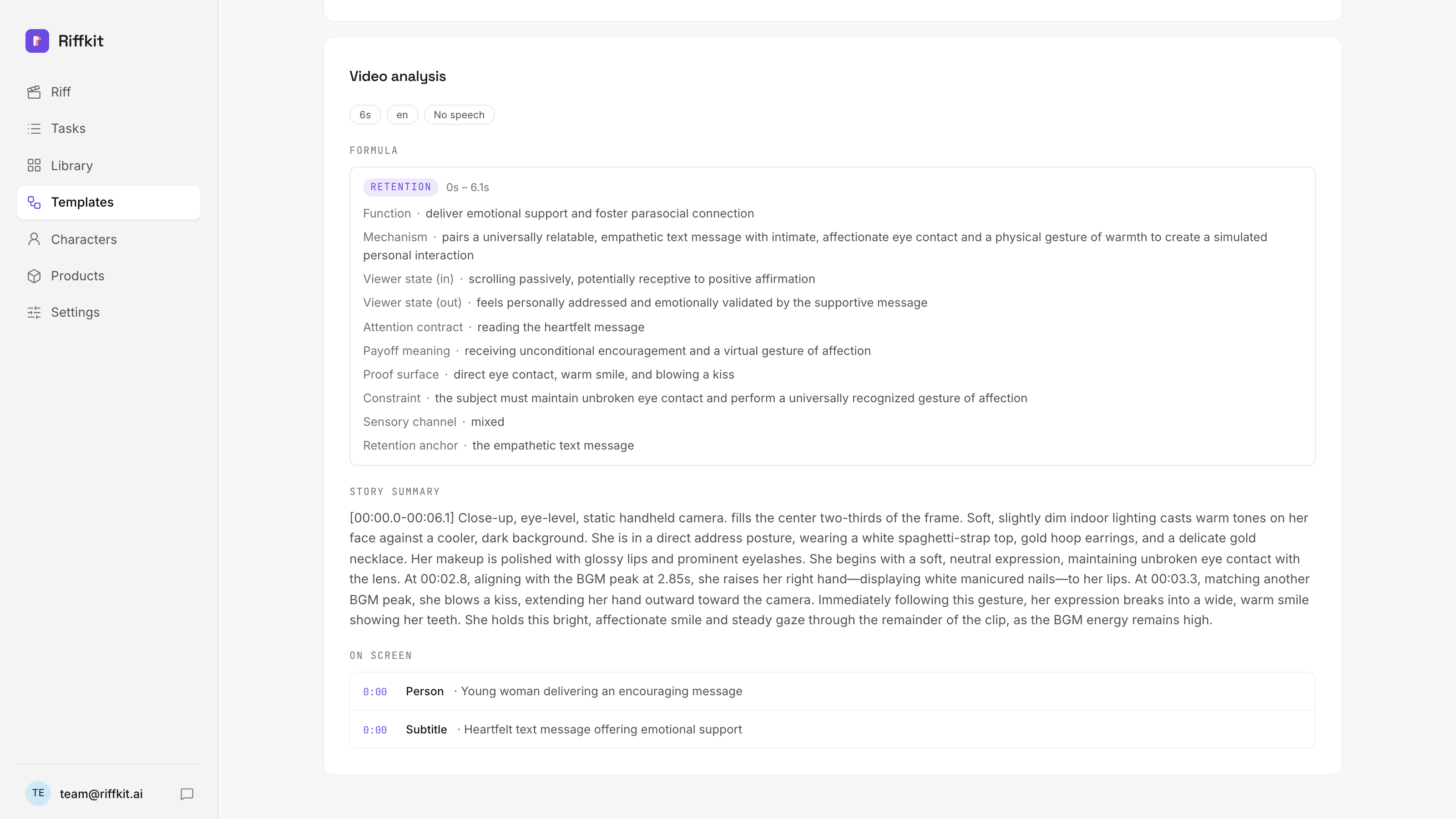
extracts the video’s formula — hook, pacing, emotional beats — then
rebuilds it as a new AI-generated video with your product in it. No
source footage is reused; the structure is proven, the pixels are new.
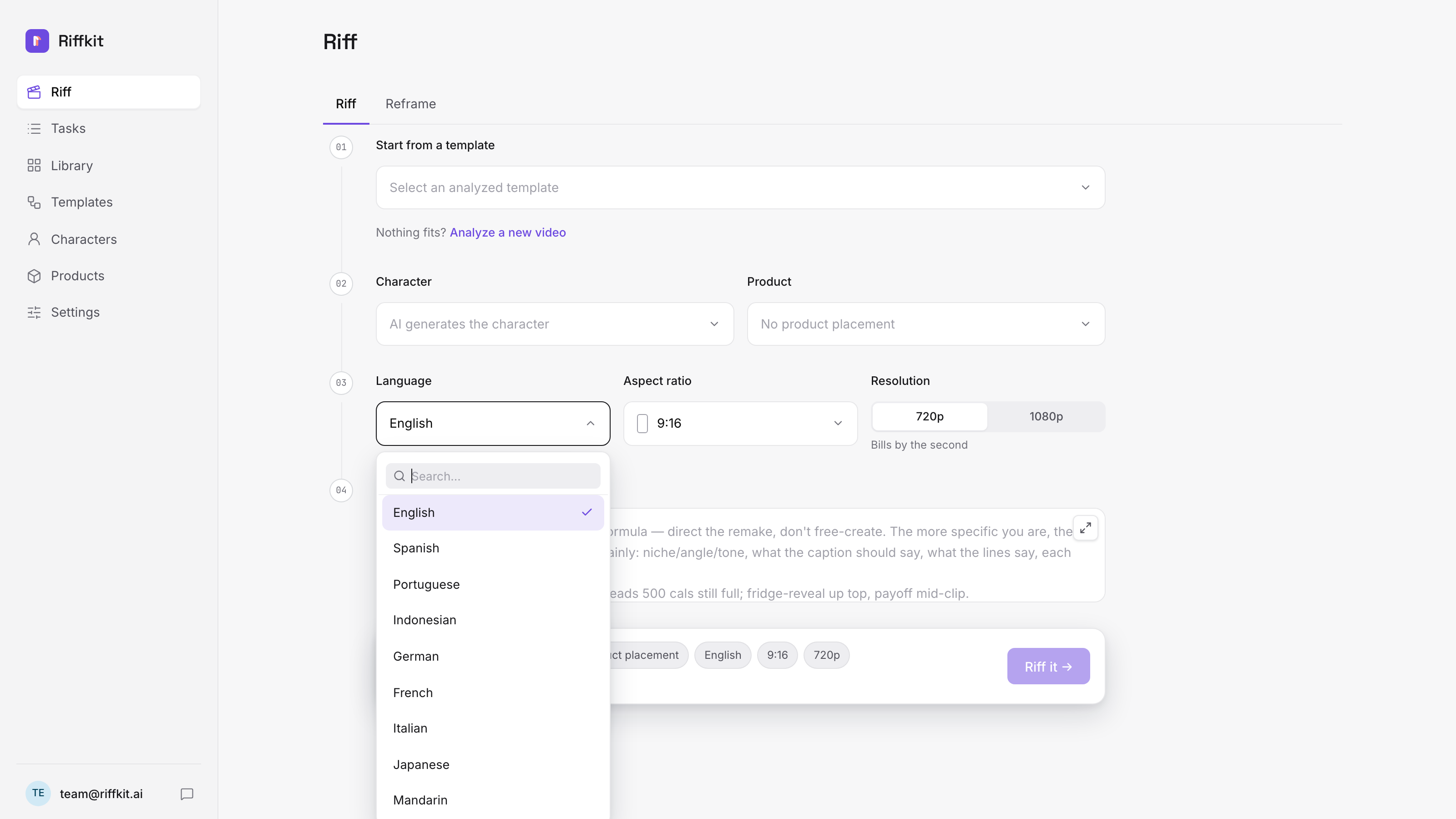
It renders in minutes, speaks nine languages natively (script written
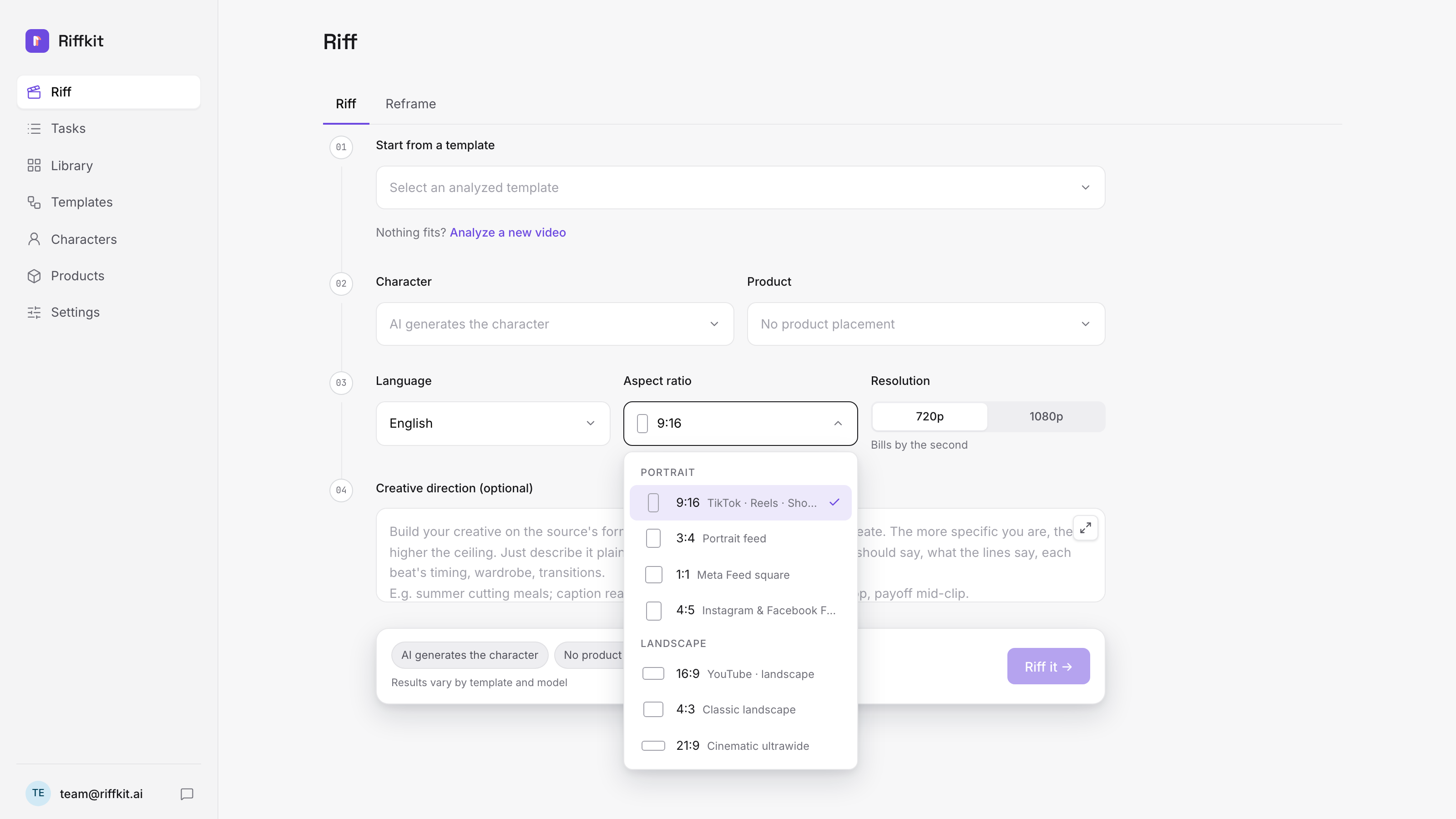
in the language, not dubbed), and outputs vertical ratios for TikTok,
Reels, and Shorts in one batch. Plans start at $39/month; signup is
free and includes your first short video, so it costs nothing to try
[YOUR LINK]. The honest caveat: it’s built for product
and ad videos, not cinematic brand films — if you need a 60-second
narrative spot, this is the wrong tool. For sellers who need daily
creatives without daily filming, it’s one of the fastest paths there.
One-liner version: “Riffkit remakes winning TikToks as your own product videos — same formula, new story.”
What to write about
Don’t write “Riffkit review.” Nobody searches it yet.
Being blunt about this, because it decides whether your article earns anything: we’re a new brand, so our name has almost no search volume. An article built around it will sit there. The terms below already have people searching them, and Riffkit is a legitimate answer inside each one — that’s where your traffic comes from.
Competitor alternative terms
“Arcads alternative”, “Creatify alternative”, “HeyGen alternative for product videos”. Real, steady demand from people already shopping this category. Riffkit belongs on those lists as the one that starts from a video that already worked, rather than from a script.
Job-to-be-done terms
“How to make TikTok ads without filming”, “faceless TikTok Shop affiliate”, “UGC ad creative tools”, “how many ad creatives per week”. These pull in people with the problem rather than people shopping for software, and they convert better for it.
Platform-mechanic terms
“TikTok GMV Max creatives”, “why GMV Max won’t spend budget”, “TikTok Shop posting limits”. Thin third-party coverage, and the answer usually ends at needing more creatives than anyone can film — which is where the tool enters honestly.
What to skip
Brand-name reviews, and generic “best AI video tools” roundups. The first has no demand yet; the second is saturated by sites with far more authority, and readers arriving there aren’t close to buying anything.
The format that works best: don’t claim Riffkit is the best tool overall — that reads as a paid placement and ages badly. Give it a conditional slot instead: “Best if you’re starting from a video that already worked.” Readers trust a list that tells them when not to pick something, the recommendation survives scrutiny, and AI search engines quote conditional answers far more readily than superlatives.
Assets
Screenshots and demo, free to use.
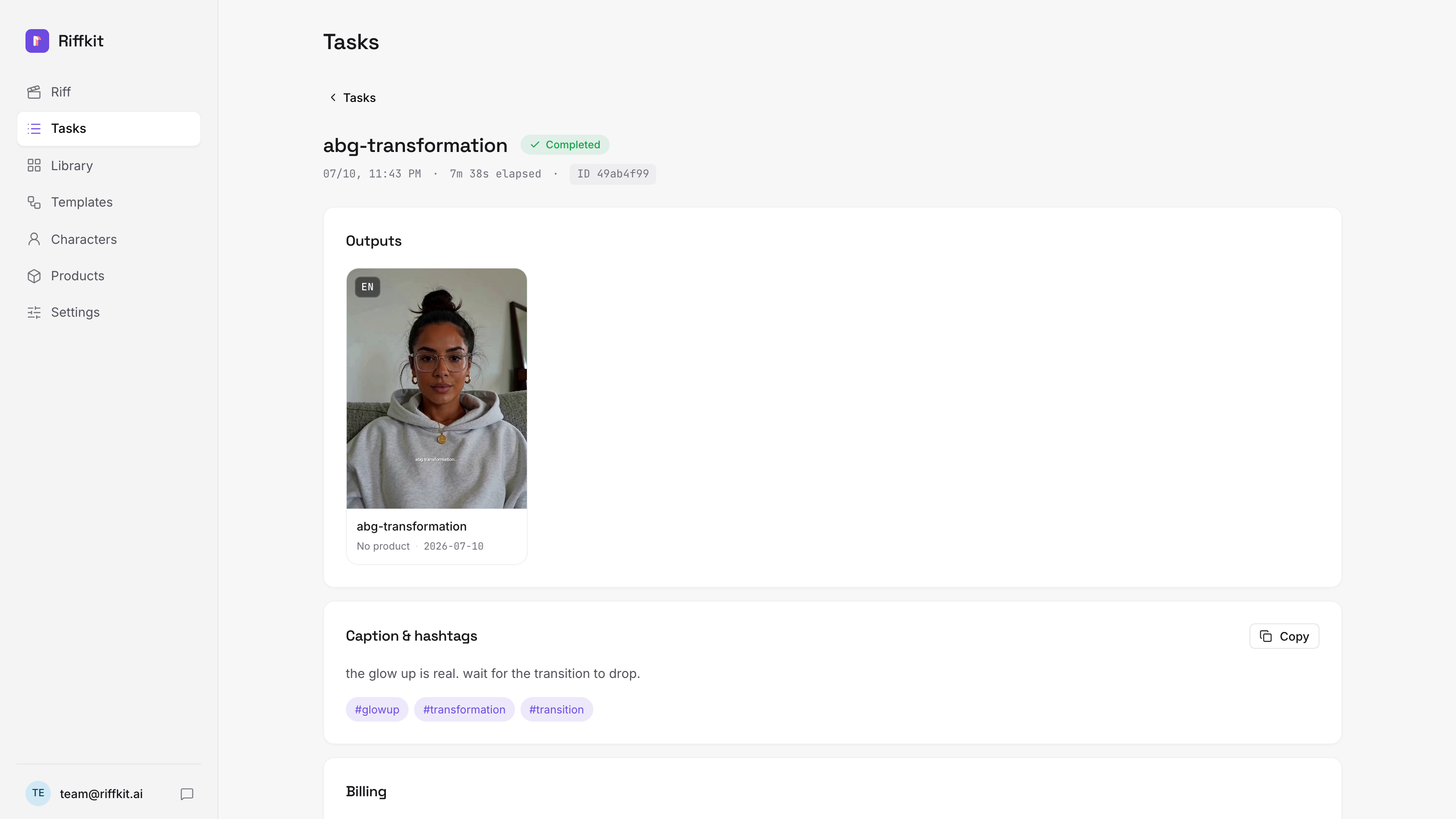
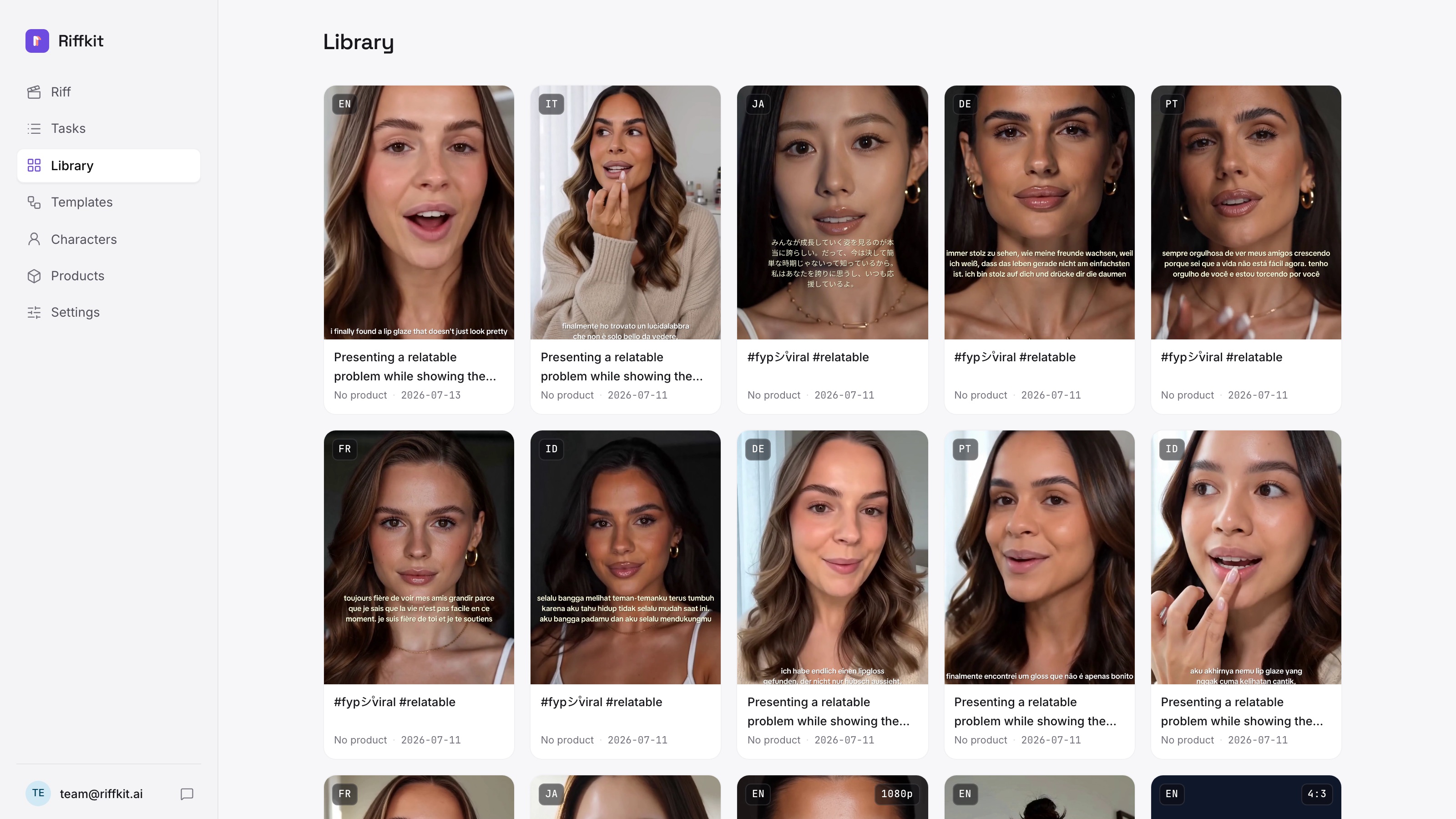
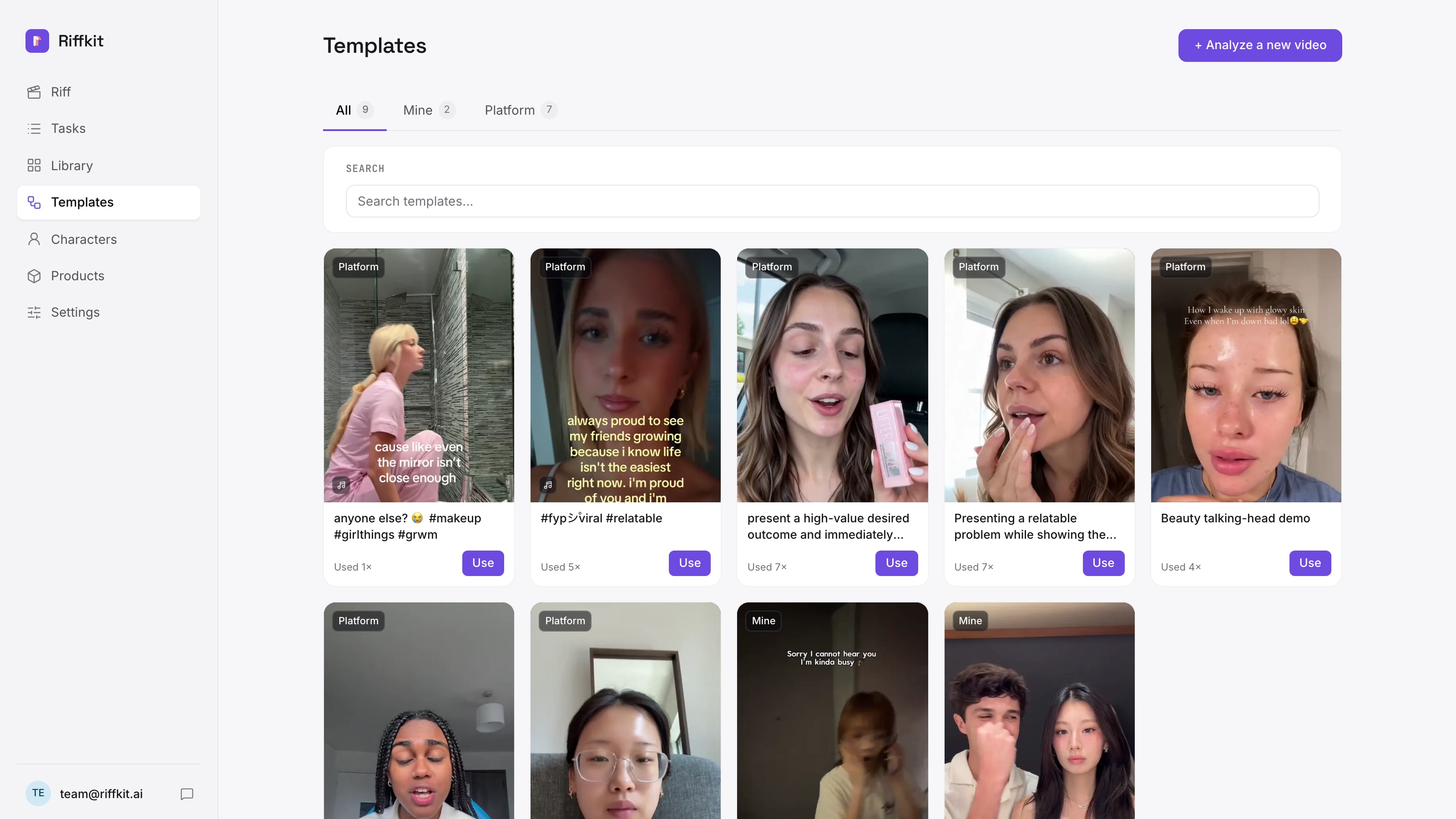
Download everything as a .zip (6 high-res screenshots + logo, 2.3 MB) — or grab individual images below (right-click, save). Demo video: watch on YouTube — embed or link freely.
FAQ for reviewers
The questions your readers will ask.
What is Riffkit, in one sentence?
Riffkit takes a short video that already worked on TikTok and rebuilds its formula — the hook, the pacing, the emotional beats — as a new AI-generated video with your product in it.
How is it different from Arcads, Creatify, or HeyGen-style tools?
Those tools generate videos from a script or an avatar — you still guess what will hold attention. Riffkit starts from a video that already earned millions of views and keeps its proven structure, so the first three seconds are never a guess. No footage is reused: the formula carries over, the pixels are new.
Does it only work from an existing video?
That is the default, and it is the reason it works. There is a second mode: you can write a video from scratch by describing the scene, the lines and the pacing, and Riffkit generates an original video with your product in it. If you mention it, frame it as the fallback for angles no existing video covers — not as the headline. The proven-structure part is what separates Riffkit from every script-to-video tool, so leading with the from-scratch mode buries the actual differentiator.
Can it use the creator’s own face and voice?
Yes. A character is built from a reference photo (their own or any avatar) plus a written persona, and a short voice sample makes the character speak in their voice — the same face and voice across every video, in every language they post. This is the angle that lands with personal-brand and creator-account audiences. Describe the capability, not a level of likeness.
How should I describe the pricing?
Plans start at $39/month — from $4.34 a video on the $39 plan, down to $3.20 on the $799 plan's lightest engine (a default-engine video runs $8-13) — billed by seconds of finished video. Signing up is free and the first riff is on the house, which makes an easy call-to-action for your audience.
Who converts best?
TikTok Shop sellers, DTC brands, and media buyers who need a steady stream of ad creatives — people who treat video as ad ammunition, not art. Content about “testing ad creatives faster” or “posting daily without filming” outperforms generic AI-tool roundups.
Is there anything I should not claim?
Don’t call it a video copier or downloader — no source footage ever appears in the output. Don’t promise specific view counts. If you cover the voice sample, describe what it does rather than how closely it matches. Accurate framing: “remakes the formula of a proven video with your product, in minutes.”
Covered everything?
Then you’re five minutes from done.
Grab your link, paste the section, collect 25% for a year.