Don't copy. Riff.
Change the outfit, place, product or person in your video.
TikTok · Reels · Shorts
Your shots and timing stay. Or turn a winning short video into yours: same formula, your story.
Sign up free, no credit card required.
Pick what to keep
Keep the shots, or keep the formula.
Swap
Keep the shots, change what’s in them.
For your own video or a template. Camera, cuts and timing stay, and sound where no voice changes. Change the outfit, the person or the setting, put your product in place of theirs, or give the whole video a look you describe.
- Stays
- ShotsCutsTimingMusic
- Changes
- OutfitPersonSettingProductLook
Adapt
Keep the formula, change the story.
For a winner from any creator. Riffkit keeps the hook, the pacing and the emotional beats, and makes a new video around your product, your character and your language.
- Stays
- HookPacingBeatsMusic
- Changes
- FootageStoryProduct
See it
Same shots, a whole new look.
Swap
The Swap at the top of this page, side by side: a video we made ourselves, run through Swap with one change written in words: redraw it as 1990s hand-drawn anime. The camera, the cuts and the timing are the original’s, shot for shot.
- Stays
- ShotsCutsTiming
- Changes
- Look
The same clip, two more Swaps. A setting changes the same way: name the new place in a sentence.
A new outfit
One brief changed all three outfits: the grey sweatshirt becomes a cream knit, the gold gown emerald velvet. Her face and every cut are the original’s.
How to change the outfit in a videoA different person
A saved character takes her place in every shot. The cuts, the timing and the caption are the original’s.
How to replace a person in a videoThe same formula. Every shot new.
Viewers remember how a video made them feel (curiosity, tension, payoff) not its footage. Riffkit extracts that path and rebuilds it as yours: a new niche, your product, another language, even a different visual style.
Any visual style, any structure: live-action, cartoon, or game-CG; split-screen, picture-in-picture, and grids rebuilt with the source's cut rhythm and transitions intact, not flattened into one static shot.
- Hook "Only tried it to prove it wrong", the skeptic
- Turn "…now I'm hooked", the convert
- Payoff Show the result, then dare you back
A skeptic out to debunk it, won over: you stay for the proof.
Riffed from skeptic beauty review
- Hook Aspirational caption, fast-cut montage
- Turn Polished fragments on the beat
- Payoff The rhythm is the payoff
Constant novelty keeps the eye to the end.
Riffed from aspirational lifestyle montage
- Hook "Remember this", one quick rule
- Turn Each rule confirmed: yes / no
- Payoff Clean do / don't rules to save
A spoken rule + on-screen yes/no is effortless to re-voice.
Riffed from on-camera styling tips
- Hook A plain, unstyled "before"
- Turn One hard cut on the beat
- Payoff The styled "after" reveal
The transition is the hook: you stay for the reveal.
Riffed from live-action transition
Every shot generated fresh: Riffkit never re-uploads the source clip.
AI influencers
Build your own AI influencer.
Upload one photo and write a few lines of persona. That character stars in every video you make, the same face from post to post, with no creator to book.
- Swap
- Put your character into a video that already works. The shots stay.
- Adapt
- Take a winning video’s beats and tell your character’s own story.
- Create
- Write an idea and your character stars in it.
We run digital-human TikTok accounts this way ourselves. Of the 1,504 AI videos we tracked, the best passed 1.5 million views. See how all 1,504 did
Build your characterOr start with a ready-made character. Every account can use them.
-
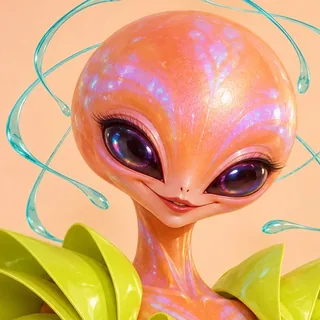 Pipli
Pipli -
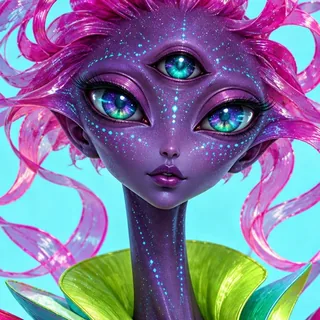 Vexa
Vexa -
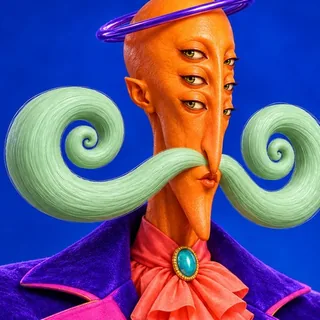 Zaffro
 -
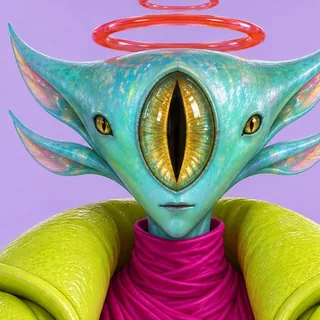 Oru
Oru
Who it's for
Built for the way you ship short video.
TikTok & Meta ads
UGC ad creative at the speed of testing.
Turn winning ad structures into branded creatives, your product shot or app screen woven in, batched so the testing engine never runs dry. Testing a new audience angle? Swap in a different character instead of recruiting another creator. Reframe one winner into 1:1 and 4:5 to cover every placement, and when no existing winner fits this week's angle, write it from scratch.
TikTok Shop & affiliate
Same product, 100 fresh angles off proven formats, this month.
Batch riffs off proven formats, clear the algorithm threshold, then double down on the winners.
Digital-human UGC accounts
One persona, every video, posting daily.
Lock a character, add your own voice sample, and riff proven formats on a daily cadence: same face, same voice, every video, in every language you post. That is the consistency faceless-channel tools get wrong.
How it works
From a video to yours in three steps.
Bring a video
Upload your own video, paste a TikTok link to a winning one, or start from a template in the library.
Say what changes
One sentence: a new outfit, setting or product, or your character in place of the person. Or keep a winner’s formula and give it your story.
Get it in minutes
It comes with burned-in captions, a post caption, hashtags and a cover, and you see the price before it renders.
What you get
A post-ready video, not a rough clip.
Your product, woven in
Your SKU, a physical item or an app screen, built into the story the formula calls for.
A consistent character
Lock one persona so every riff keeps the same face and voice, and add a voice sample to make that voice your own. Build a few and swap them per riff to test who your buyer is. Or use Auto, no avatar needed.
Multi-language localization
Generates natively in 10 languages, from English and Spanish to Japanese: native phrasing and the right fonts, not a translated subtitle on top.
Ready to post
Each riff ships with a caption, hashtags, and a cover frame. Download and publish.
The math
One winning video, three ways to get it.
| Option | Turnaround |
|---|---|
| Riffkit | Minutes |
| Freelance creator | 5-14 days |
| UGC agency | 1-2 weeks |
Rates vary by quality, engine and mode (40 to 300 credits a second), and the exact rate is shown before you render. Billed by the second: a 9-second riff bills only those 9 seconds' worth, never a whole video.
Plans from $15/mo, or $12/mo billed yearly. Cancel anytime · commercial use included: post everything you make, or run it as ads.
Sign up free, no credit card required.
The craft
Why these don't read as AI.
The tells that give AI video away (captions that drift or render as garbled boxes, beats off the cut, music burying the voice) are exactly the parts we obsess over.
We tune the timing, not guess it
The original's beats, drops, and pauses are mapped and rebuilt, so the rhythm that hooked viewers comes through in your version.
Captions that track the voiceover
We re-time each caption to the spoken audio so the words land with it (tight, not the lag that makes AI video read as fake) and burn them in crisp and legible, no garbled boxes.
Music that gets out of the way
With Original BGM, the background track ducks under your voiceover and rises in the gaps, so the talking comes through, mixed automatically, no editor needed; with Similar BGM the model makes its own mix.
Two ways in
The only riff engine your agent can run end to end.
Riffkit is hands-on in your browser and installable as a skill your AI assistant can call. Click through it yourself, or just tell your agent to riff one.
In your browser
The full studio: pick a source, character, product, and language, then watch riffs render in minutes. Made for hands-on control.
From your AI agent
Install the Riffkit skill, connect it once, and your assistant riffs on command: say “riff this TikTok for my product in Spanish” and it returns a post-ready video. A teammate that ships finished short-form, not just drafts.
Watch an agent riff end to end →Questions
The things people ask first.
Isn’t this just copying, and is it safe?
No, and yes. Riffkit never re-uploads the source clip: your video is a new render, though flat graphics from the source (cards, stickers) can carry over into it. Adapt keeps the structure (the hook, the pacing, the beats) and builds new footage around your story, product and character, so none of the original's filmed footage ends up in your video. When Riffkit has the source's music as its own track, Adapt keeps that BGM by default: the music is part of why the video won, and the new video follows its beats. The track's rights stay with its owner, so check you're cleared to use it where you post. Swap re-renders the original's own shots, keeps its timing and the sound wherever no voice changes, and changes what you name, so use it on your own videos or a template; a template's music, voices and people are not rights-cleared. Don't copy. Riff.
Adapt or Swap: which should I use?
Adapt when the winner belongs to someone else, or when you want a new story: it keeps the formula and generates new footage around your product. Swap when the video is yours or comes from a template and you like its shots as they are: the camera, cuts and timing stay, and you change the outfit, the person, the setting, the product, or the whole look by describing it. Both bill by the second at their own rates, shown before you render.
Can I change the outfit, the person or the setting in a video?
Yes, that is what Swap does. Upload your video or pick a template, then say what changes: write the new outfit or the new setting in a sentence, or pick a character to take the place of the person on screen. The shots, cuts and timing stay where the original has them, and so does the sound wherever no voice changes (on Seedance 2.5 and MiniMax H3, a new person speaking on camera gets a new voice by default). You see the price before you render. Small details can drift, so watch the result before you post it.
Do TikTok and Meta allow AI-generated videos?
Yes, AI-made video runs as organic posts and paid ads on both platforms. The one requirement: if a video features realistic AI-generated people, tag it with the platform’s built-in AI-content label when you upload. Every shot of a riff is newly generated, so it goes through the same ad review as any other creative. If its soundtrack comes from a source video’s track, kept as is or re-created, check you’re cleared to use that track in ads. What platforms actually act on is undisclosed synthetic content and low-effort bulk posting: label your riffs, vary them, and do not post twenty near-identical cuts. TikTok sells its own AI video generator to advertisers, so AI creative itself is not what gets flagged.
Does Riffkit work for Instagram Reels and YouTube Shorts?
Yes. Riffs render 9:16 by default and post natively to TikTok, Instagram Reels, and YouTube Shorts; you can also pick 1:1, 4:5, 3:4 or landscape ratios at generation. To start from a Reel or a Short, upload the video file; paste-a-link input supports TikTok URLs.
Can I get the same video in more aspect ratios?
Yes. Reframe any finished video into 3:4, 1:1 or 4:5 for Feed and other placements: near frame-identical, only the framing shifts. Each ratio is its own render, billed per second at the reframe rate shown on the Pricing page.
Can I put my own product in the video?
Yes, that's the point. Add your product image, whether it's a physical item or a screen from your app, and Riffkit weaves it into the story the formula calls for, instead of slapping it onto a generic stock avatar. The winning emotional journey gets rebuilt around what you're actually selling.
Who appears in my videos?
A consistent character you define, and it can be you. Upload a reference photo, your own face or any avatar you like, write a persona, and that same character stars across every riff, so the channel keeps one recognizable face and voice. Prefer not to manage a character at all? Auto mode casts one for you. In Swap, the character you pick takes the place of the person on screen; pick none and the person in your source stays.
How do I create an AI influencer?
Build a character in Riffkit: upload a photo (one image with a close-up of the face next to a full-body shot works best, and one clear front-facing photo is enough), write a few lines of persona, and add a 4 to 15 second voice sample if you want a voice of its own. Then pick it for every video. Swap puts it into a video you already have, Adapt tells its own story on a winning video's beats, and Create makes a new video from an idea, so the same face carries every post. Our own digital-human TikTok accounts run this way: of the 1,504 AI videos we tracked, the best passed 1.5 million views.
Can the videos use my own voice?
Yes. Add a short voice sample (4 to 15 seconds of clean speech) to a character, and when you Adapt or create a video, that character speaks in your voice, which is how a personal-brand account keeps one recognizable voice across every video and across every language you post in.
Will a series of riffs feel like one account?
Lock the same character and product across riffs and the series keeps one recognizable face, voice, and cast, while each video’s footage is generated fresh. Consistent enough to read as one channel, varied enough not to repeat itself.
Can I test different audience angles with different characters?
Yes, and it's the fastest way to find out who actually buys. Create a character for each audience you want to test (a runner, a new mom, someone managing fatigue) and pair each with a creative direction that speaks to that buyer's reason to purchase. Riff the same winning formula across all of them and you get a batch of audience-angle tests in an afternoon, where the traditional route means recruiting a new creator for every audience, a few weeks each. One persona for a consistent channel, many personas for testing: same character system, two jobs.
Can I make videos in other languages?
Yes. Riffkit generates natively in 10 languages: English, Spanish, Portuguese, Indonesian, German, French, Italian, Japanese, Korean, and Mandarin. Each output is generated in-language, with native phrasing, the right fonts, and captions aligned to the spoken audio. Real localization, not a translated caption layered on top.
Do the videos come with subtitles?
Yes, captions are burned into the video and track the voiceover, so the words land with the audio instead of drifting the way auto-captions usually do.
Can my AI agent make videos with Riffkit?
Yes. Riffkit installs as a skill your AI assistant can use: connect it once, then tell your agent to riff a video and it drives the whole pipeline for you. Same engine and the same post-ready output as the app.
Can I change the result?
Yes. Steer each riff with a creative direction, swap the product or character, or re-run with a new angle. Because a riff is billed by the second, not at the price of a paid re-shoot, dialing in the version you want is fast and cheap, so you re-roll until it's right rather than waiting days on a redo.
How many videos can I get from one source?
As many as you want: the formula is reusable. Re-riff the same source with different creative directions, products, or characters, and each run generates fresh footage, so one proven structure becomes a batch of distinct videos instead of the same clip exported ten times.
What if I don’t have a video I want to riff?
Then write one from scratch: describe the scene, the lines, and the pacing, and Riffkit generates an original video with your product and character, no source needed. Most people still start from a proven video, because that is what takes the guesswork out of the first three seconds. Creation mode is for the shots no existing video covers — a specific ad angle you need to test this week, a product moment nobody has filmed yet.
Should I riff an existing video or create one from scratch?
Default to riffing. Starting from a video that already won means the hook and the pacing are proven before you spend a thing, which is the whole reason your first three seconds stop being a guess. Create from scratch when no existing video covers what you need: a specific ad angle you want to test this week, a product moment nobody has filmed, or a scene you have already scripted. Creation also lets you set the exact length, anywhere from 4 to 45 seconds or picked by the model to fit your direction, which matters when you are filling a particular ad placement.
What makes a good creative direction?
Specifics. When you create from scratch, the creative direction is the only source your script has, so a vague brief produces a vague video. Name the scene and who is in it, what the captions say, the lines, the pacing, the wardrobe, and how the product enters the shot. "Morning kitchen, low-calorie breakfast, opens on a yawn, caption reads 300 kcal in 5 minutes" beats "make a healthy food video" every time. When you riff instead, the direction is optional: the template already carries the structure, and your direction only steers it.
Can I use the videos commercially?
Yes, everything you make is yours to post, run as ads, and monetize, with no extra license or revenue share from us. What comes from someone else isn't ours to give: music from a source video (its rights stay with its owner, so check you're cleared to use it where you post), and, in a Swap, what it keeps from the source, such as the person when you don't pick a character, the voices that don't change, and a template's music, voices and people, which aren't rights-cleared.
Riff it.
Your first section in minutes, billed by the second, cancel anytime.
Sign up free, no credit card required.